Problem note
How to Track RFIs Without Losing Questions in Email
A practical RFI tracking workflow for keeping questions, owners, due dates, responses and project impact visible instead of buried across email and spreadsheets.
Read the noteArchitecture studio operating system
Keep project delivery, fee realization, scope changes, approvals, RFIs, drawings and consultants connected across one studio workspace.
Built around the job
Studio delivery risk and commercial exposure scattered across project files, registers, email and consultant conversations.
Project health, fee budgets, scope changes, approvals, RFIs, drawings and consultant commitments often live in separate files and conversations. The problem is not missing information. It is losing one reliable view of delivery risk and commercial exposure.
Architecture & Interior Design Studio OS connects the studio pipeline → project control → phases and fees → variations and approvals → RFIs, drawings and consultants → weekly review and system health. Each warning leads back to the source record that needs attention.
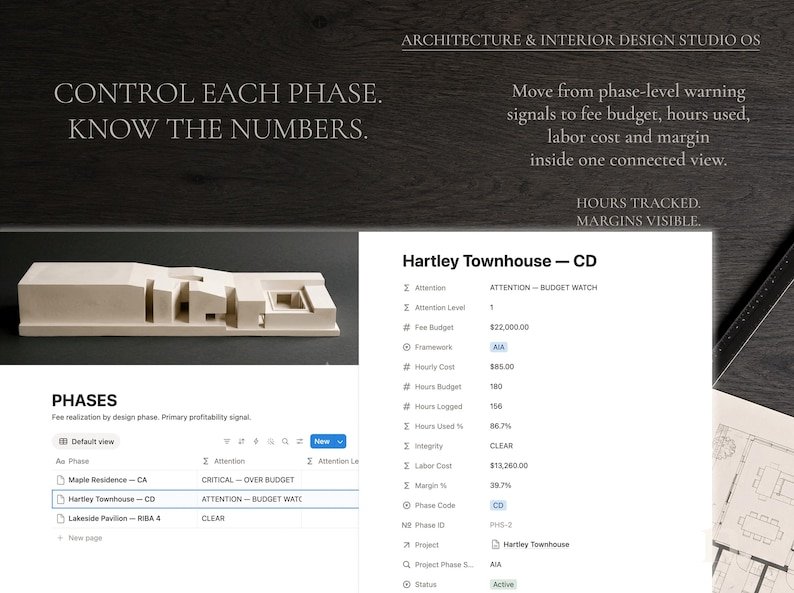
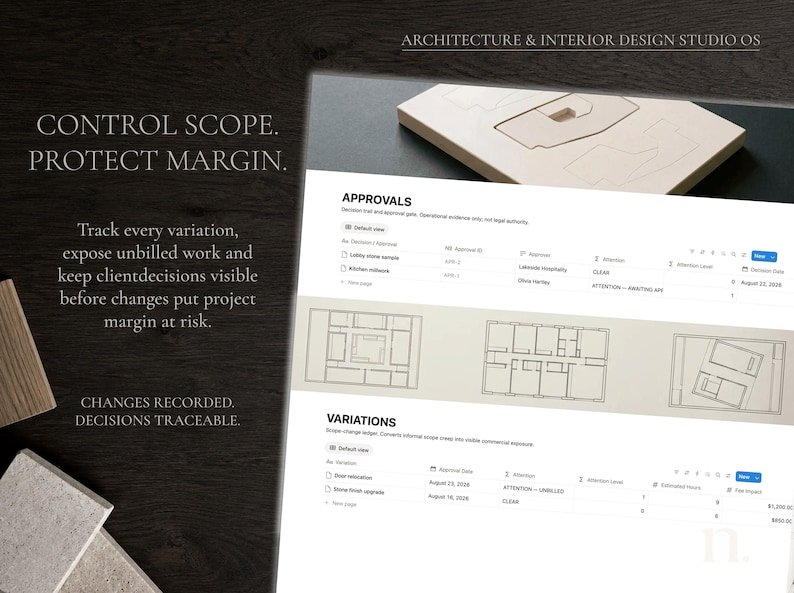
The live buyer-facing evidence shows the working commercial controls behind the system: fee realization by phase, hours used, margin, scope variations and approval records.
Duplicate the template into your Notion workspace, open START HERE and follow the five-step setup. Set the studio name, currency label and AIA or RIBA default, then duplicate the project starter and replace the demo records gradually.
This is not CAD or BIM software, accounting or invoicing software, legal advice, compliance guidance or specialist document control. It is a connected Notion workspace for seeing project-delivery and commercial-control signals across a small studio.
Delivery & requirements
Problems behind the system
Journal notes connected to this system because they address work it is designed to help control.
Problem note
A practical RFI tracking workflow for keeping questions, owners, due dates, responses and project impact visible instead of buried across email and spreadsheets.
Read the noteProblem note
Keep client decisions connected to their context, reviewed version, decision maker and next action. Includes a complete example and four practical FAQs.
Read the noteNext step