Problem note
How to Track Missing Client Documents Before a Tax Return Stalls
A practical tax-practice workflow for tracking missing client documents, deadlines, ownership, last contact and next action before a return stalls.
Read the noteTax practice operating system
Keep client work, deadlines, missing documents, communication, billing and growth visible across one tax practice workspace.
Built around the job
Client work, deadlines, missing documents, communication and receivables scattered across disconnected tools and memory.
Client work, filing deadlines, missing documents, communication and billing can become difficult to control when they live across separate lists, inboxes and memory. The risk is not a lack of effort. It is losing one reliable operational view of what needs attention.
The Tax Practice connects clients → engagements → deadlines → documents → communications → invoices and opportunities, with a Practice Control Room and specialist desks for daily review.
The real product evidence shows the working Practice Control Room used to surface client work, deadline pressure, missing information and billing attention inside one connected workspace.
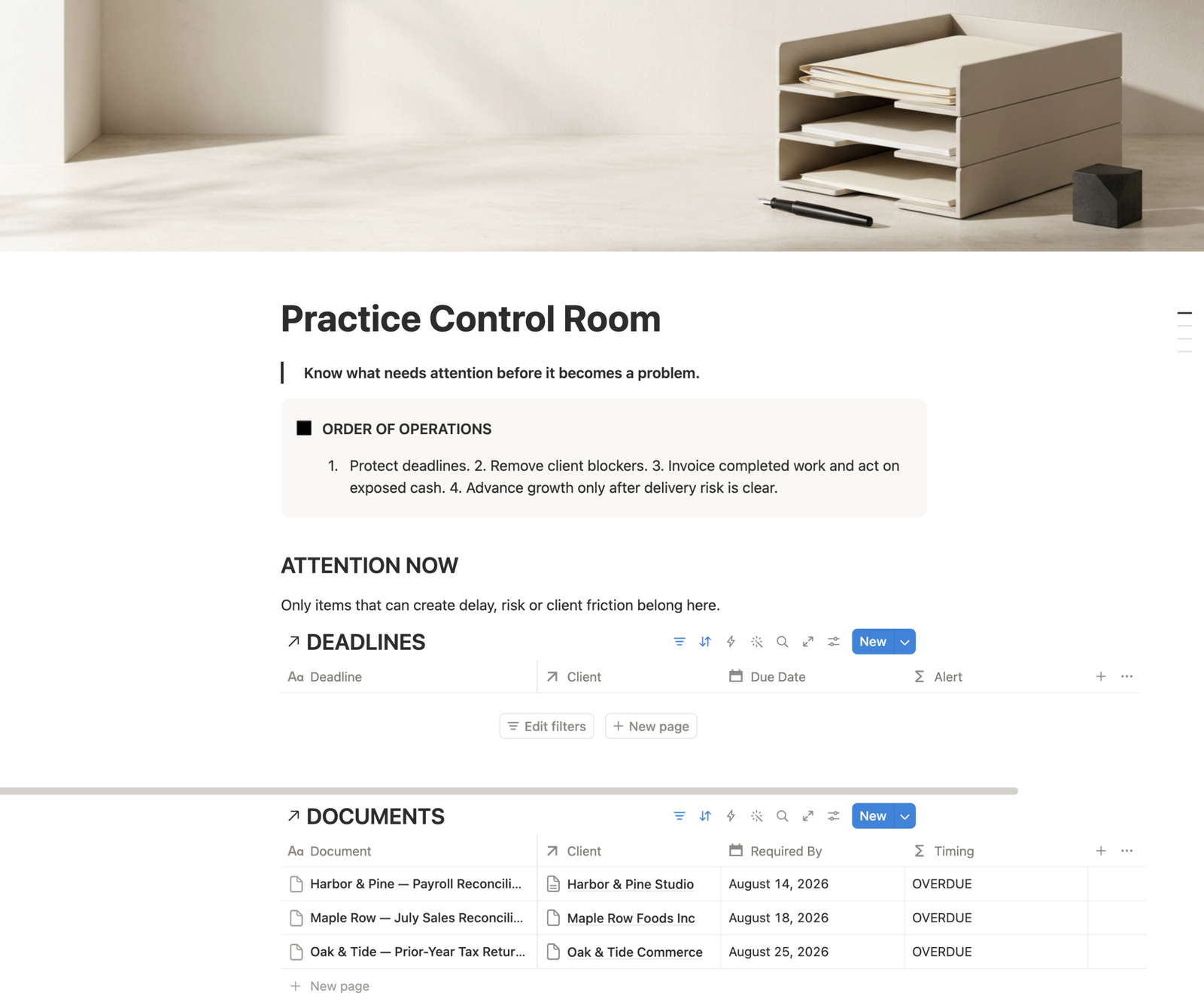
Duplicate the workspace into Notion, open Start Here, review the demo practice, then use Jurisdiction & Practice Setup to localize currency, terminology and filing context before adding real client work.
This is an operational workspace for tax advisors and accountants. It is not tax, accounting, legal or filing advice, and it does not verify deadlines, rates, forms or jurisdiction requirements. Those must be checked independently against the relevant source.
Delivery & requirements
Problems behind the system
Journal notes connected to this system because they address work it is designed to help control.
Problem note
A practical tax-practice workflow for tracking missing client documents, deadlines, ownership, last contact and next action before a return stalls.
Read the noteNext step