A client asks for something that was not in the original plan.
The request may be reasonable. It may even be a good idea. But if it moves straight from a message into the task list, the project has skipped the most important step: deciding what the change actually means.
A change request workflow creates that decision point before extra work begins.
It does not need to be bureaucratic. For most service work, it only needs to make the request, impact, decision and next action visible in one place.
A request is not yet a task
Client requests often arrive through email, chat, calls, comments or meetings. Those channels are useful for conversation, but they are poor places to control a commercial change.
Before creating delivery work, capture the request as a decision that still needs to be assessed.
That keeps one small sentence — “Can we also add this?” — from silently changing the project.
Use a five-stage change request workflow
A useful sequence is:
Capture → Compare → Assess → Approve → Act
Each stage answers a different question. Keeping them separate makes it much harder for undefined work to start by accident.
1. Capture — what exactly changed?
Write down the request in language that will still make sense later.
Record who asked, when they asked, which project or deliverable it affects and what they want changed.
Do not reduce a meaningful request to a vague task such as “client edits”. The record should preserve the actual change being considered.
2. Compare — was it already included?
Compare the request with the agreed scope before estimating anything.
The answer may be included work, a normal revision, genuinely new scope or an unclear request that needs clarification.
This classification matters because not every client request deserves a change order, but every meaningful request deserves a scope check.
3. Assess — what does the change affect?
If the request changes the scope, assess its consequences before promising delivery.
- What additional work is required?
- How much time will it take?
- Does the fee change?
- Does the delivery date move?
- Does another task, milestone or dependency need to change?
A small request can have a large downstream effect. The assessment should capture the consequence, not just the size of the sentence that triggered it.
4. Approve — make the decision explicit
Once the impact is known, the client can make an informed decision.
- Approved — add the change under the agreed conditions.
- Declined — keep the original scope.
- Pending — wait for a decision.
- Swap — add the new work while removing or changing something else.
Whatever the outcome, preserve who made the decision and when.
“We talked about it” is not the same as knowing what was approved.
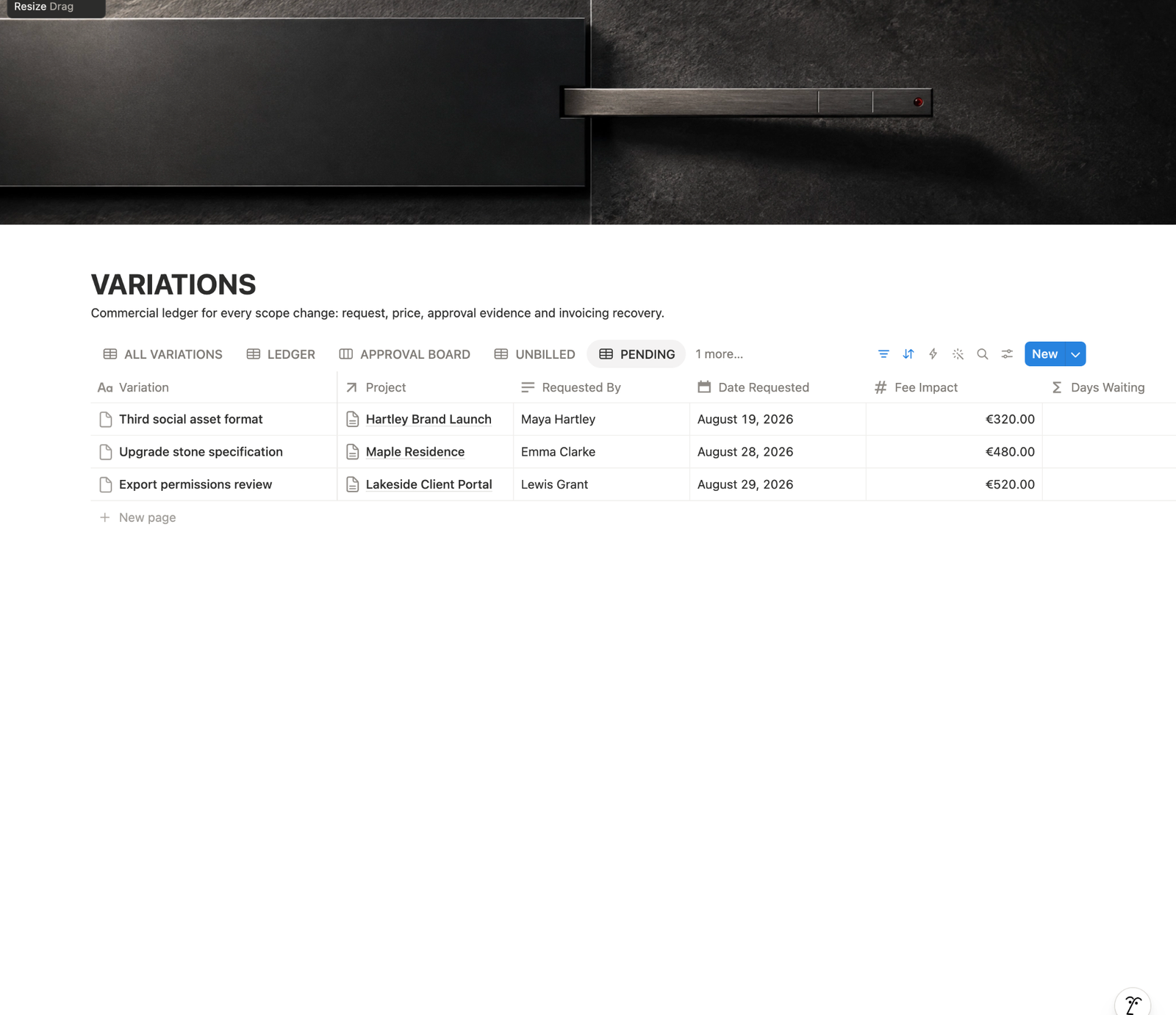
5. Act — only approved work enters delivery
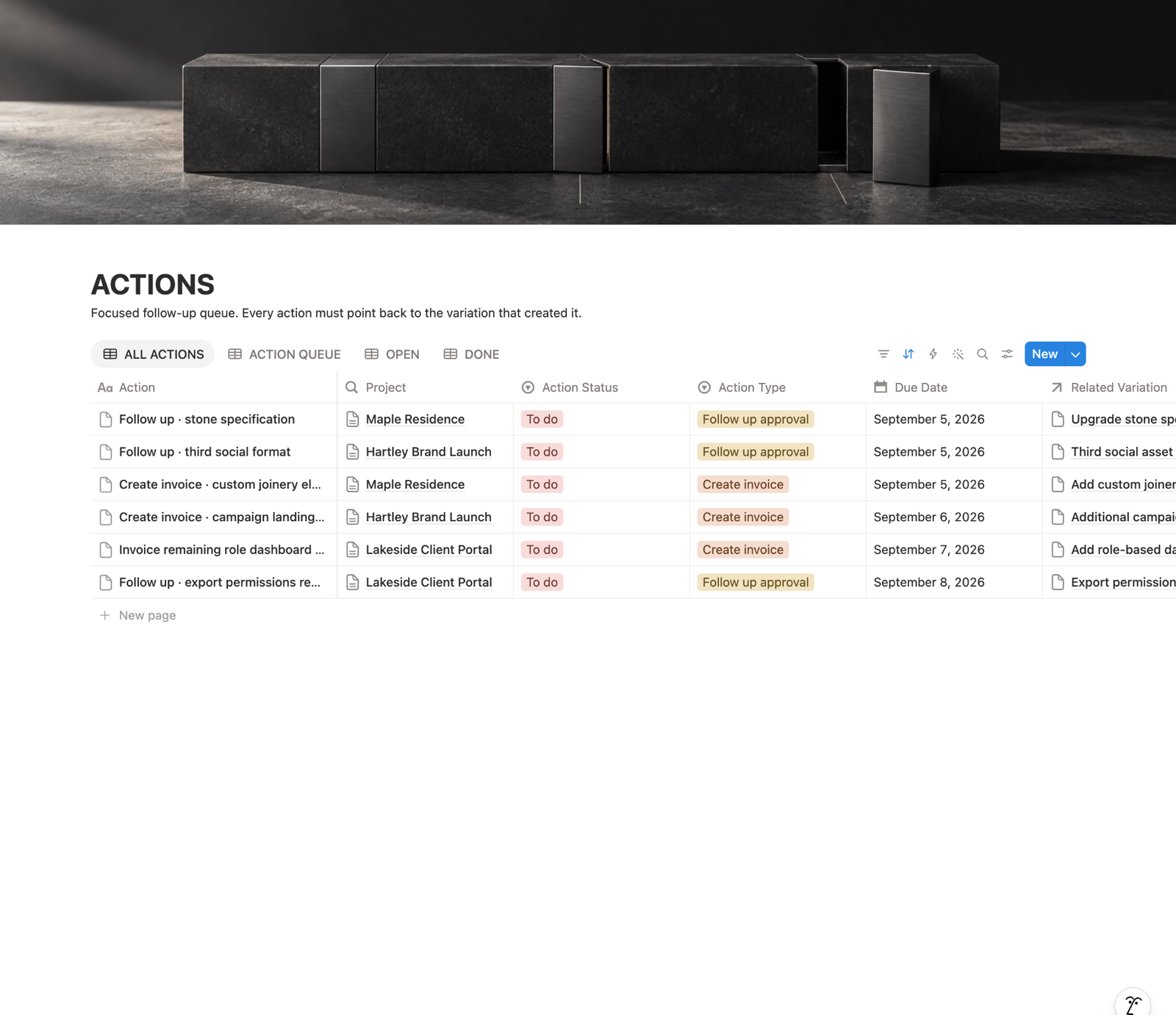
After approval, convert the decision into the actions the project now requires.
Create the task, update the schedule, record the commercial impact and connect any invoice or follow-up that belongs to the change.
The important rule is the order: decision first, execution second.
Six requests: what enters delivery?
These fictional requests belong to a small website project. A classification describes the request; a decision determines what happens next. An approved swap needs its own confirmation, just like an addition.
| Request | Assessment | Decision | Next action |
|---|---|---|---|
| Extra case-study page | Additional page; impact sent | Pending | Wait; no build task |
| Shorten headline | Within included revision round | Included | Add revision task |
| Newsletter integration | Scope, fee and revised date confirmed | Approved | Schedule implementation |
| Second visual direction | Impact assessed; client says no | Declined | Keep original direction |
| Replace portfolio page | Removed/added items and timing confirmed | Approved swap | Update scope and tasks |
| “Make it stronger” | Desired outcome not yet defined | Clarify | Ask for concrete criteria |
Included headline revision.
Approved integration.
Confirmed portfolio-page swap.
Pending extra page.
Declined second direction.
Unclear “make it stronger” request.
Check one transition: if the client approves the case-study page, record the exact deliverable, approved fee, schedule impact, approver and date. Only then create its delivery tasks and link them to that change. Changing a status label without confirming those conditions does not complete the workflow.
When you accept an addition at no extra charge, record that deliberate decision and any timing impact. Preserve the original scope alongside the approved change instead of erasing the baseline.
Use the approval evidence guide for the confirmation, and a decision log when several conversations lead to the outcome.
Keep the workflow lightweight
The workflow only needs enough information to make the next decision: what changed, whether it belongs to the agreed scope, what it affects, what the client decided and what happens next.
What to send the client
The client does not need to see your entire internal system. They need a clear decision.
We can add this. It sits outside the current scope, so I have outlined the additional work, cost and timing impact below. Once you confirm, I will add it to the project.
That message does three useful things: it stays cooperative, makes the consequence visible and prevents work from starting before the decision.
Keep the approval connected to the change
A common failure is documenting the request in one place and the approval somewhere else.
Then the project still depends on finding the right email or remembering which message contained the final decision.
The cleaner model is one change record with the request, impact, decision and approval trail connected.
If the change affects money, keep its approved value and billing status connected too.
Frequently asked questions
Does every request need a paid change order?
No. First compare it with the agreement. Included work and corrections may need an ordinary task; additions need an explicit decision on their relevant scope, cost and timing.
Can I start while approval is pending?
Keep the additional production work out of delivery until the decision is confirmed. You can clarify the request and prepare an assessment without treating it as approved implementation.
What should an approved swap record include?
Name the item removed, the replacement, the agreed fee and timing impact, and who confirmed the decision. Equal item counts do not automatically mean equal effort.
What happens after a request is declined?
Preserve the request and decision, keep the existing scope and avoid leaving its proposed production tasks in the active queue. Reassess it as a new decision if the client later reopens it.
Capture requests arriving across channels with the feedback workflow. For a completed record, use the scope change report example.
The rule worth keeping
Do not let a client request become a task merely because it arrived.
Capture it. Compare it with the agreement. Assess the impact. Get the decision. Then create the work.
A good change request workflow is not there to make change difficult. It is there to make change deliberate.
Use revision vs new scope when the boundary itself is unclear. Once the request becomes a formal change, keep its history in a client scope change log, and keep the approval evidence explicit rather than buried in messages.