Client projects rarely fail because nobody made a decision. They fail because the decision was made somewhere that is hard to recover later: an email thread, a call, a Slack message or a meeting note.
A client decision log gives those decisions one permanent home. Its job is not to replace project management. Its job is to preserve the choices that change what the project now means.
1. Write the question that needs an answer
“Which visual direction should we use for Home?” identifies a decision. “Design comments” does not. Describe the choices and link the presentation: direction A uses light backgrounds and photography; direction B uses dark backgrounds and illustration.
2. Preserve context and version
Record the project, affected deliverable and reviewed version. Explain why the answer matters: this choice allows the final Home design to proceed and establishes a reference for the other pages.
3. Identify who decides
Keep stakeholder input while identifying who confirms the final choice. If responsibility is unclear, record “Confirm who will give the final decision” as the next action. One positive comment does not resolve contradictory feedback.
4. Separate decision from implementation
| Field | Example values |
|---|---|
| Decision state | Pending; confirmed; deferred; needs clarification |
| Action state | Not created; ready; in progress; completed |
A confirmed choice can still have an implementation task waiting to start. A prepared task can still depend on an unresolved choice.
A complete decision record
This example is fictional and describes a choice within a website project.
| Field | Example |
|---|---|
| Decision | Visual direction for Home |
| Project / deliverable | Acme website · Home design |
| Reference | Visual directions presentation v2 |
| Question | Choose direction A or direction B |
| Decision maker | Marta |
| Response checkpoint | 14 October 2026 |
| Decision / result | Confirmed · direction A |
| Condition | Keep the typography proposed in v2 |
| Confirmation date | 13 October 2026 |
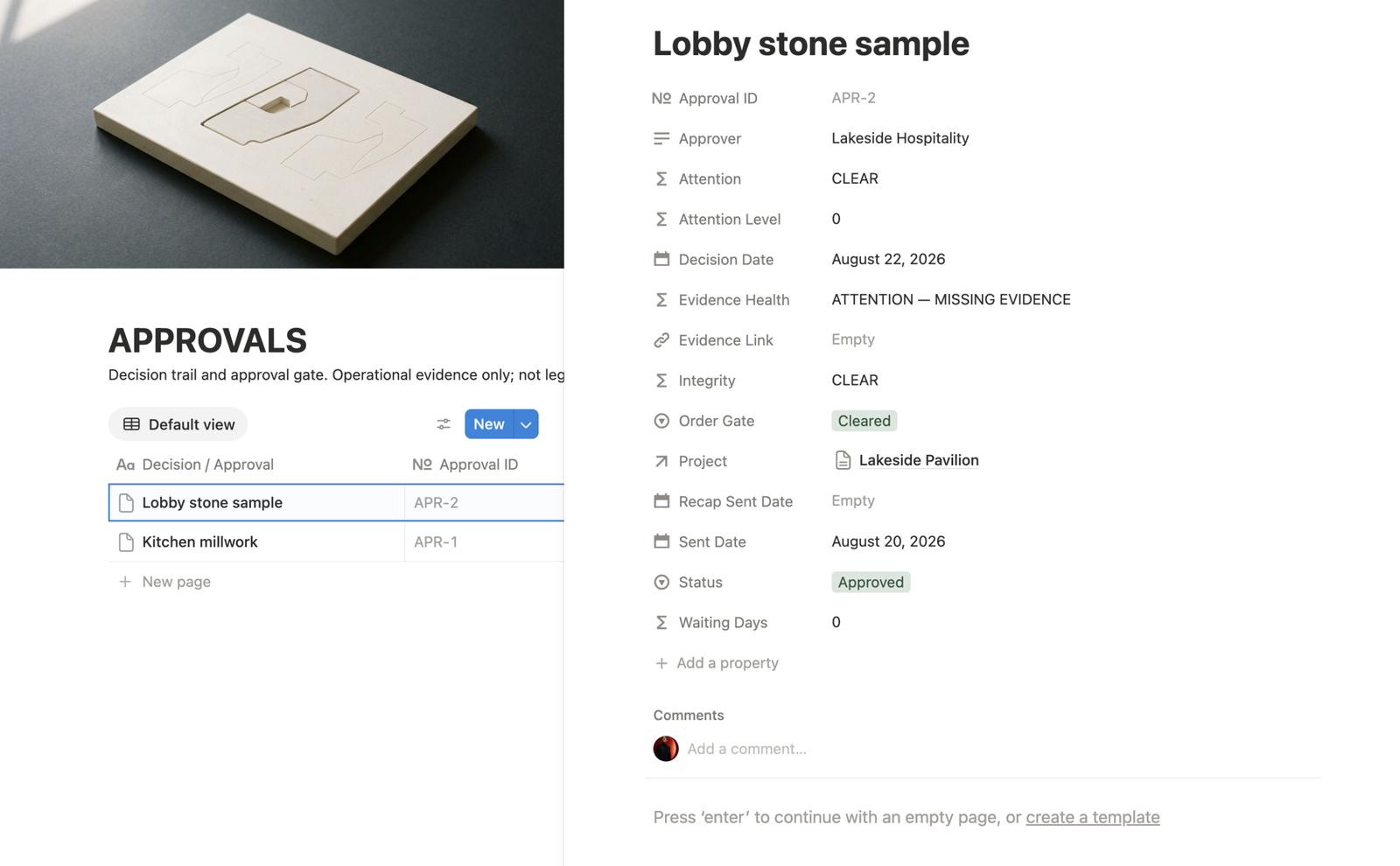
| Evidence | Client response linked |
| Next action / owner | Prepare final Home design · designer |
| Action state | Ready |
5. State what the confirmation covers
Record the full result: “Direction A is confirmed for Home as shown in presentation v2, retaining the proposed typography.” Keep unresolved items separate: the visual choice can be confirmed while the headline still needs review.
Use the approval guide when the decision accepts a specific deliverable.
6. Link the source and next action
Preserve the email, comment or meeting note containing the response, then connect the task that will implement it. The trail should be easy to follow: question → answer → evidence → action.
After a call, write a recap of the choice and outstanding conditions. When further confirmation is required, keep that step open.
7. Keep ambiguous replies pending
| Reply | Question to resolve |
|---|---|
| Looks good | Which option, deliverable or version is accepted? |
| Proceed, but revisit the price | Which commercial terms are confirmed? |
| A, with B’s header | What exact combined design should be prepared? |
| Let’s revisit later | What can continue, and when should this be reviewed? |
| Stakeholders choose opposite options | Who resolves the disagreement? |
Use the scattered feedback guide when the replies span several channels.
8. Keep the history when a choice changes
Preserve the earlier decision and add a new decision or identifiable revision. Include the new request, reason when known, impact to assess and confirmation needed. Use the change request workflow if the revised direction affects scope, cost or timing.
| Queue | Question |
|---|---|
| Pending decisions | Which answer is missing? |
| Decisions blocking work | Which delivery depends on a choice? |
| Confirmed decisions with open actions | What was agreed but remains to be implemented? |
These are organisational suggestions. Configure views using the fields and states you choose; start with a few records and check their questions, owners and next actions.
Common mistakes
Recording only the result: include the reviewed version and conditions.
Treating feedback as confirmation: distinguish a suggestion from an accepted choice.
Overwriting previous choices: preserve identifiable revisions so their consequences remain understandable.
Forgetting implementation: identify the action, its owner and what it needs before starting.
Frequently asked questions
Which client decisions should I record?
Record decisions that affect deliverables, direction, scope, timing or subsequent actions.
What should I do with a reply such as ‘looks good’?
Clarify the option, deliverable or version being accepted before treating it as a confirmed decision.
Does a confirmed decision mean the work is finished?
No. Track the decision and its implementation action separately.
How should I record a client changing their mind?
Preserve the earlier decision and add a new decision or identifiable revision with the request, impact and confirmation needed.
The rule worth keeping
If a future teammate, client or reviewer can answer “what did we decide, who decided it, and why?” without searching old messages, the decision log is doing its job.
For decisions that require formal client sign-off, use a separate approval record. A decision log preserves the reasoning and consequence; approval evidence proves that a specific item was accepted.